Attendee Records
Attendee Records
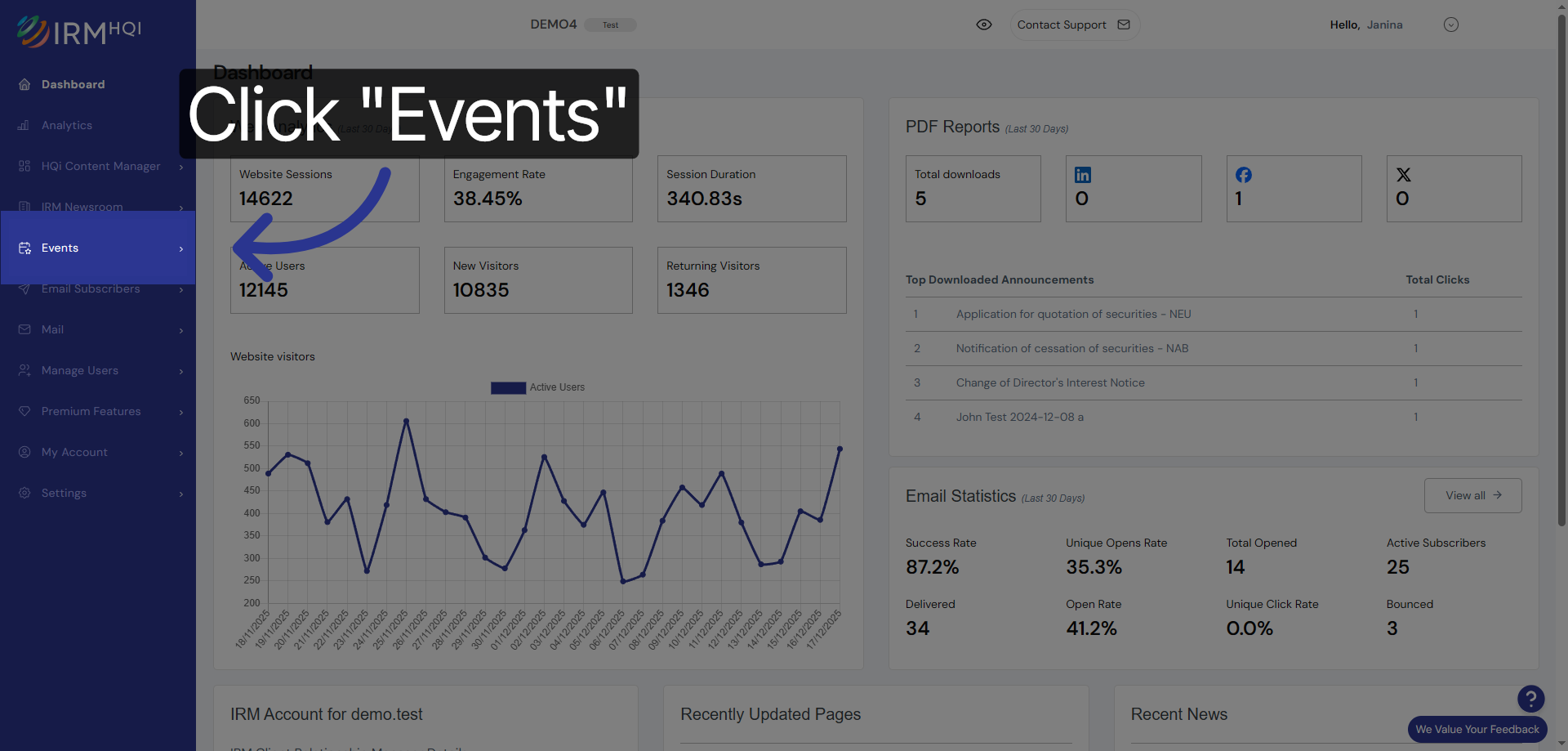
1. Navigate to Events Section
Click the Events menu to access the event management area where you can handle attendee information.
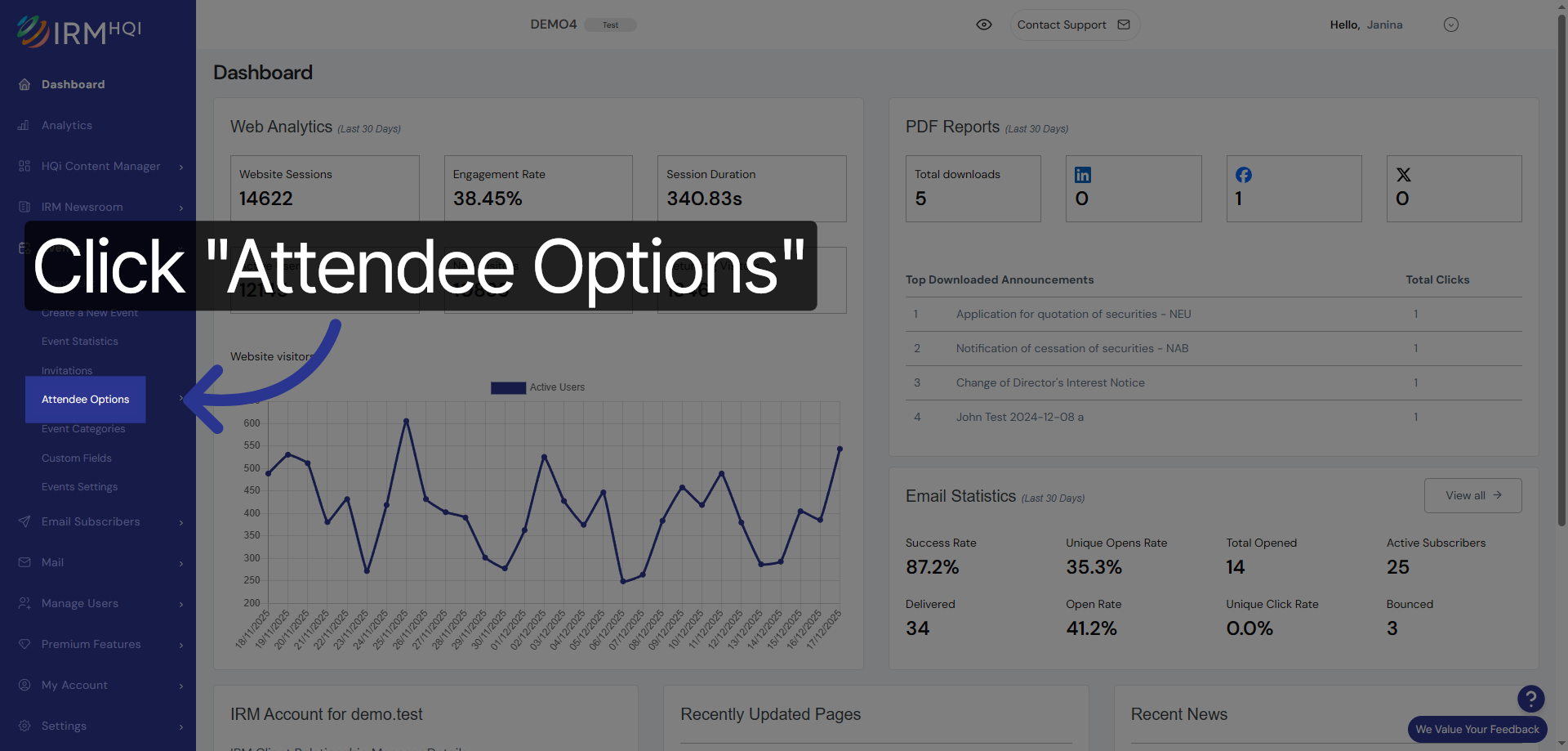
2. Open Attendee Options
Click Attendee Options to view settings and controls related to event attendees.
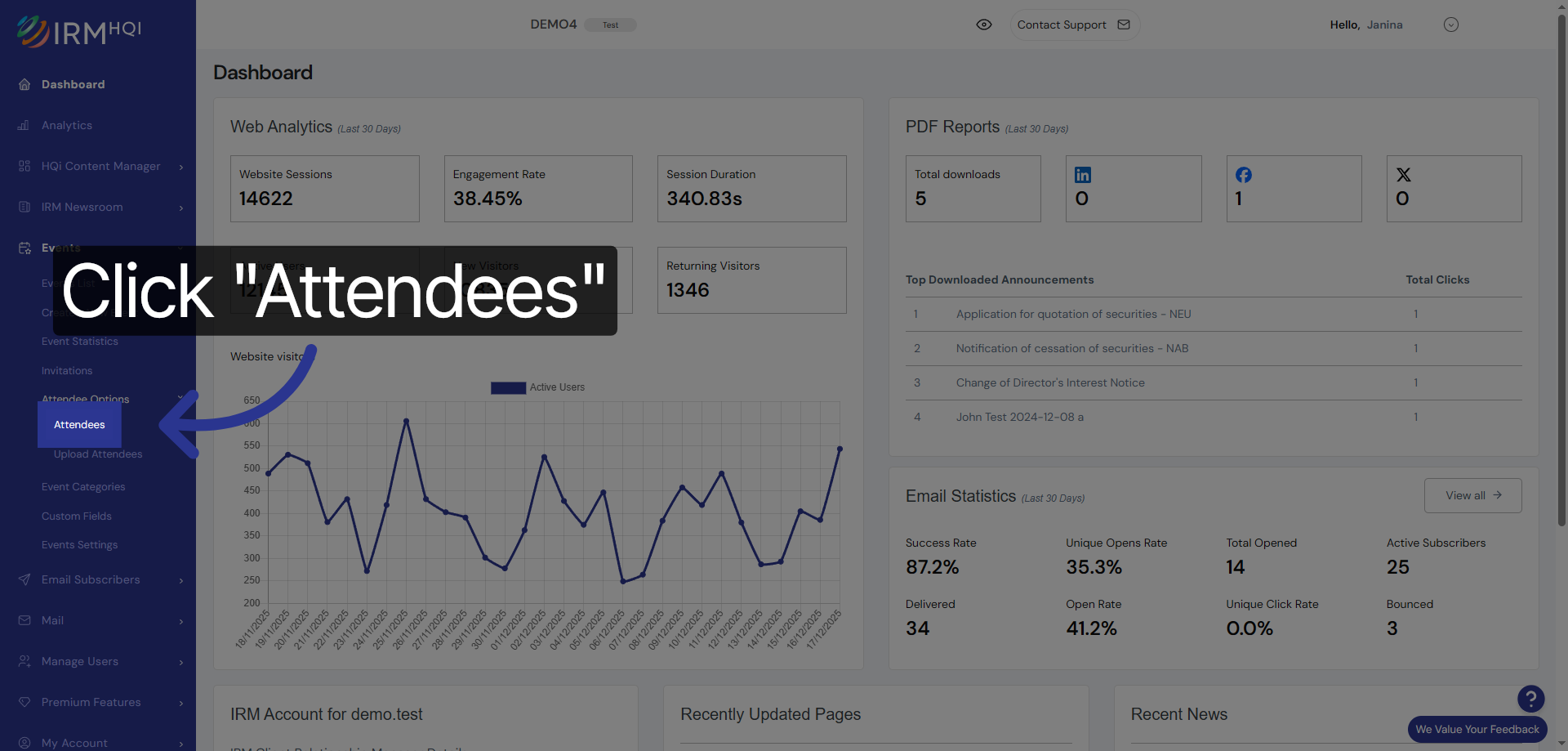
3. Access Attendees List
Click Attendees to see the list of all participants registered for the event.
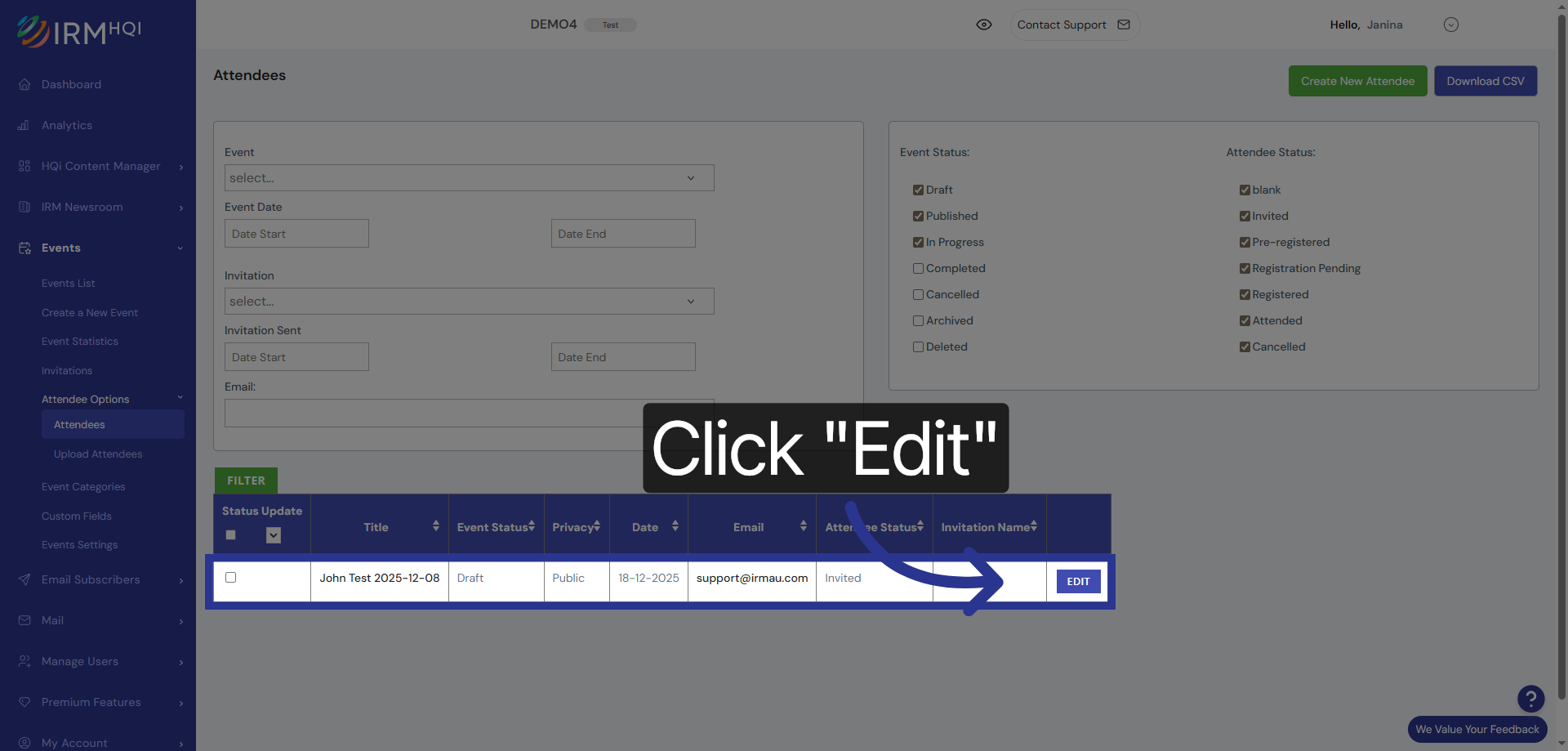
4. Edit Attendee Details
On the next page, you can access an attendee’s records by clicking on their email address or by clicking on the Edit button.
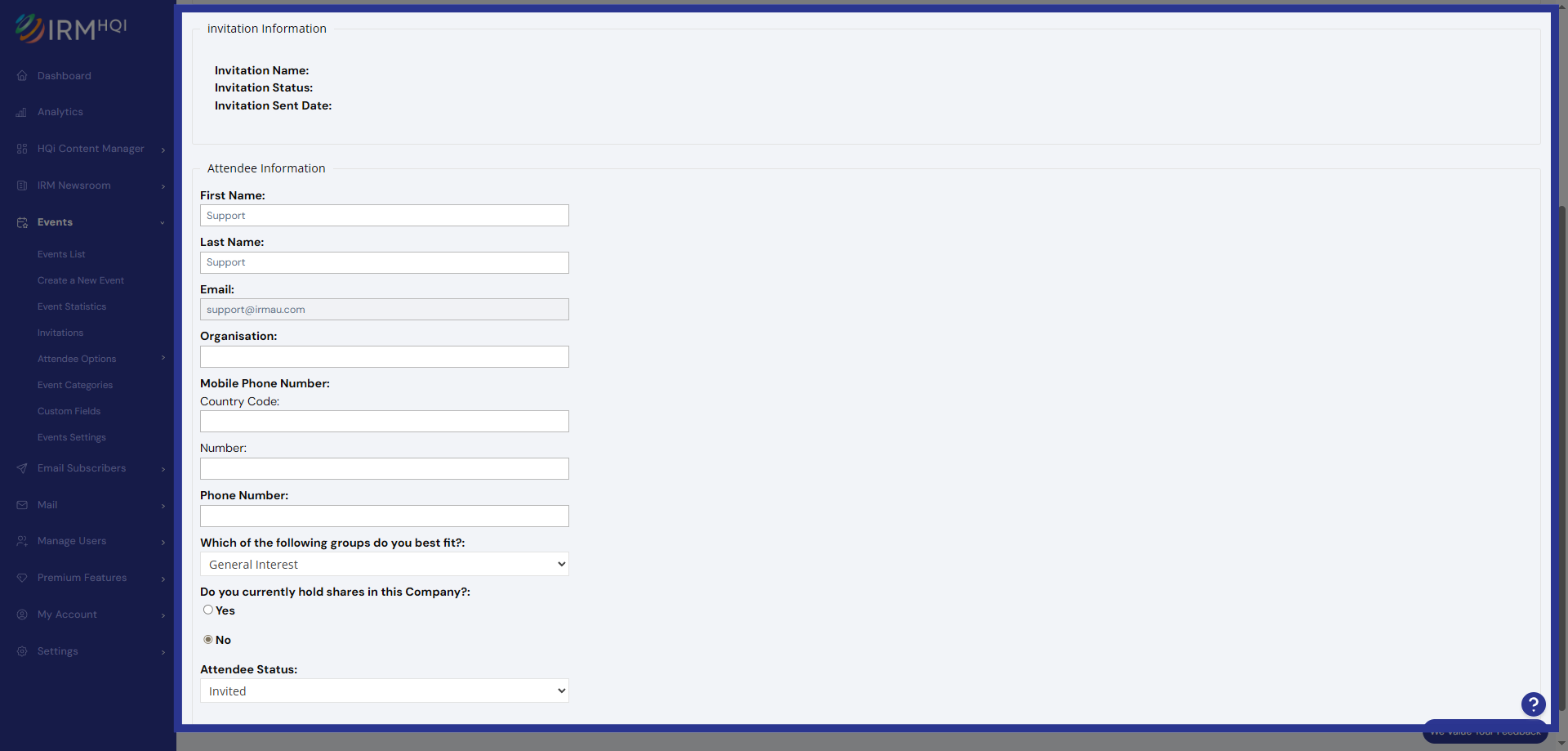
5. Attendee’s information
On the next page, you will see details such as the event information, invitation information, and the attendee’s information.